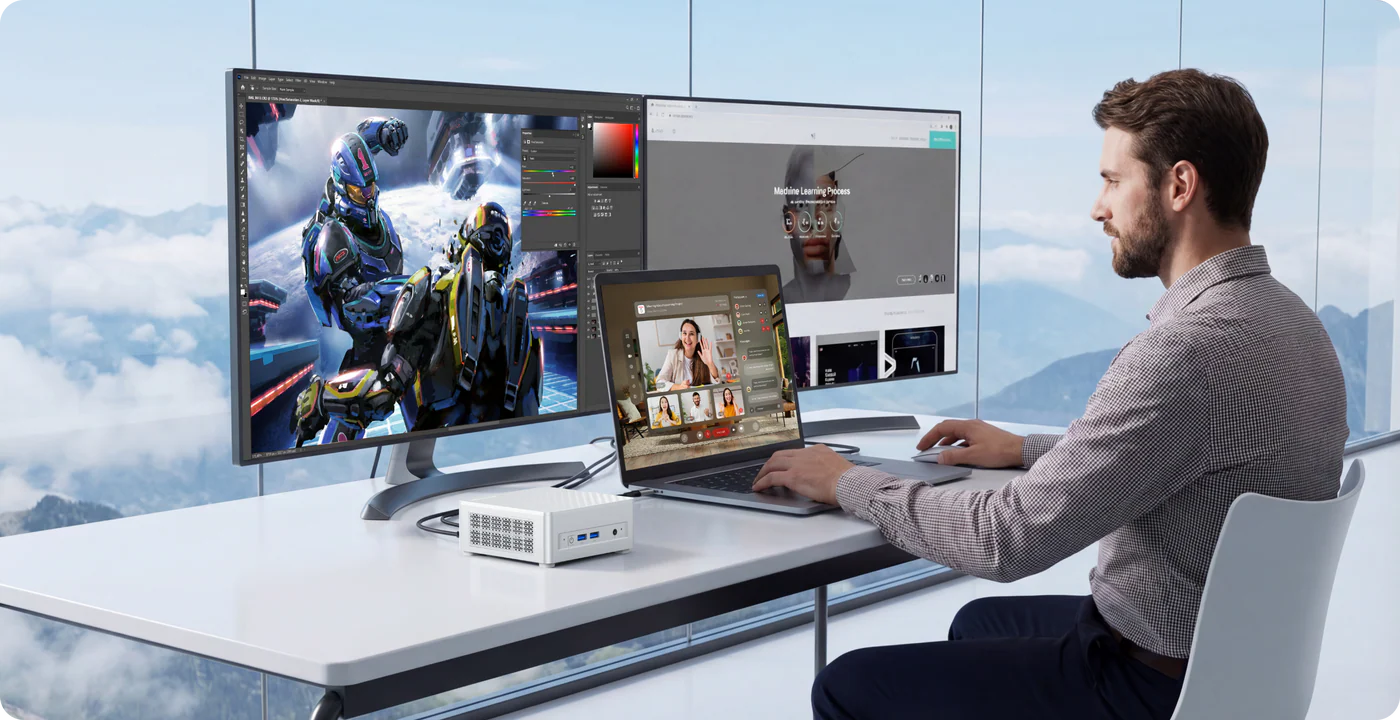
Minisforum has been steadily building a reputation for delivering compact yet powerful computing solutions, and its latest release, the Elite M1 Lite, continues that trend. Designed for users who want a small form factor without sacrificing performance, this mini PC brings together modern Intel hardware, AI capabilities, and versatile connectivity in a sleek body.
Powered by the Intel Core Ultra 5 125U processor, the Elite M1 Lite is clearly aimed at professionals, home users, and even light creators who need efficient performance in a space-saving setup.

Minisforum Elite M1 Lite Features
At the heart of the Elite M1 Lite is the Intel Core Ultra 5 125U processor, featuring 12 cores and 14 threads with a turbo frequency reaching up to 4.3GHz. This ensures smooth multitasking, whether you're working on documents, browsing heavily, or running productivity software.
One of the standout features is its dedicated Neural Processing Unit (NPU), capable of delivering up to 21 TOPS of AI performance. This allows the system to handle AI-driven workloads such as smart automation, AI-enhanced applications, and on-device processing without relying heavily on cloud services.
The mini PC supports up to 96GB of DDR5-5600 RAM via dual SO-DIMM slots, making it highly future-proof. For storage, it includes two M.2 2280 PCIe Gen4 SSD slots, with pre-configured options of 512GB and 1TB, ensuring both speed and flexibility.
The Elite M1 Lite supports a triple-display setup through HDMI 2.1, DisplayPort 1.4, and USB4. Users can enjoy up to 8K resolution at 60Hz or 4K at 144Hz, making it ideal for multitasking, content creation, or immersive media consumption.
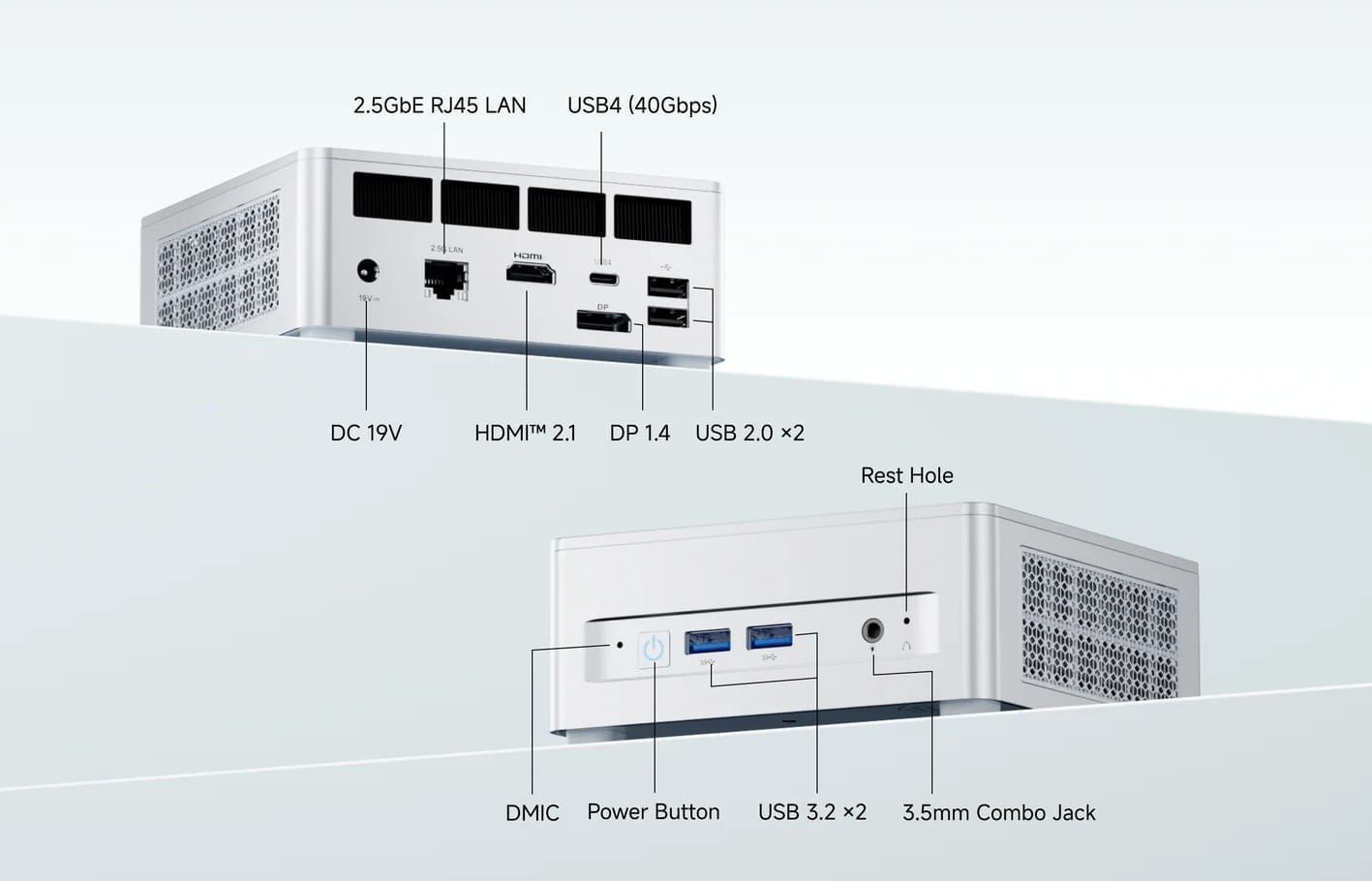
Connectivity is another strong point. The device includes:
Despite its compact size, Minisforum has equipped the M1 Lite with a phase-change cooling system and a blower fan. Even under heavy workloads, the noise level stays below 45dB, which is quite impressive for a mini PC.
Weighing just 0.6kg and measuring 130 x 126 x 50.4mm, the Elite M1 Lite is extremely portable. It also comes with a VESA mount, allowing users to attach it behind a monitor for a clutter-free workspace.
The Elite M1 Lite is priced competitively in the US market:
This pricing makes it an attractive option for users who want flexibility to build their own configuration or go with a ready-to-use setup.
Get Offer - Buy on Amazon
The Elite M1 Lite strikes a fine balance between performance, size, and modern features. In real-world usage, the Intel Core Ultra 5 125U handles everyday tasks effortlessly, from office work to multitasking across multiple apps. The addition of the NPU gives it an edge for future-ready workloads, especially as more software begins to integrate AI features.
What really stands out is the system’s versatility. Whether you're setting up a multi-monitor workstation, a compact home office, or even a lightweight media editing setup, the M1 Lite adapts well. The triple-display support and high-resolution output make it particularly appealing for professionals who rely on multiple screens.
Thermal performance is another highlight. Even during extended usage, the system remains stable and relatively quiet, which is not always the case with mini PCs in this size category. The cooling solution does its job efficiently without becoming distracting.
However, it’s not meant for heavy gaming or GPU-intensive tasks. While it can handle light creative work and casual gaming, users looking for dedicated graphics performance might need a more powerful system.
Overall, the Elite M1 Lite feels like a thoughtfully designed mini PC that caters well to modern computing needs, especially with its AI-ready architecture.
If you're looking for a compact yet capable mini PC for office work, multitasking, or even AI-assisted workflows, the Elite M1 Lite is a strong contender. It’s particularly suitable for professionals who value desk space, silent operation, and modern connectivity.
However, if your primary use case involves gaming, 3D rendering, or heavy video editing, you may want to consider a system with dedicated graphics.
The Minisforum Elite M1 Lite proves that powerful computing no longer requires bulky hardware. With its efficient Intel Core Ultra processor, AI capabilities, and excellent connectivity options, it delivers a well-rounded experience in a tiny footprint.
While it’s not built for extreme performance tasks, it excels in productivity, everyday computing, and future-ready applications. For most users seeking a reliable and compact desktop alternative, the Elite M1 Lite is definitely worth considering.
Q1. What processor does the Minisforum Elite M1 Lite use?
The Elite M1 Lite is powered by the Intel Core Ultra 5 125U processor, featuring 12 cores and strong performance for everyday tasks and multitasking.
Q2. Does the Minisforum Elite M1 Lite support AI features?
Yes, it includes a built-in NPU that delivers up to 21 TOPS, allowing it to handle AI-based tasks like smart workflows and on-device processing.
Q3. How much RAM and storage does the Elite M1 Lite support?
It supports up to 96GB DDR5 RAM and offers dual M.2 PCIe Gen4 SSD slots, with options like 512GB and 1TB pre-installed storage.
Q4. Can the Minisforum Elite M1 Lite handle multiple monitors?
Yes, it supports triple display output via HDMI, DisplayPort, and USB4, with up to 8K resolution or 4K at high refresh rates.
Q5. Is the Minisforum Elite M1 Lite good for gaming?
It is suitable for light gaming and everyday use, but it lacks a dedicated GPU, so it’s not ideal for heavy gaming or advanced graphics work.
Via: (Minisforum)
To know more about our platform, visit our About Us page.


Comments