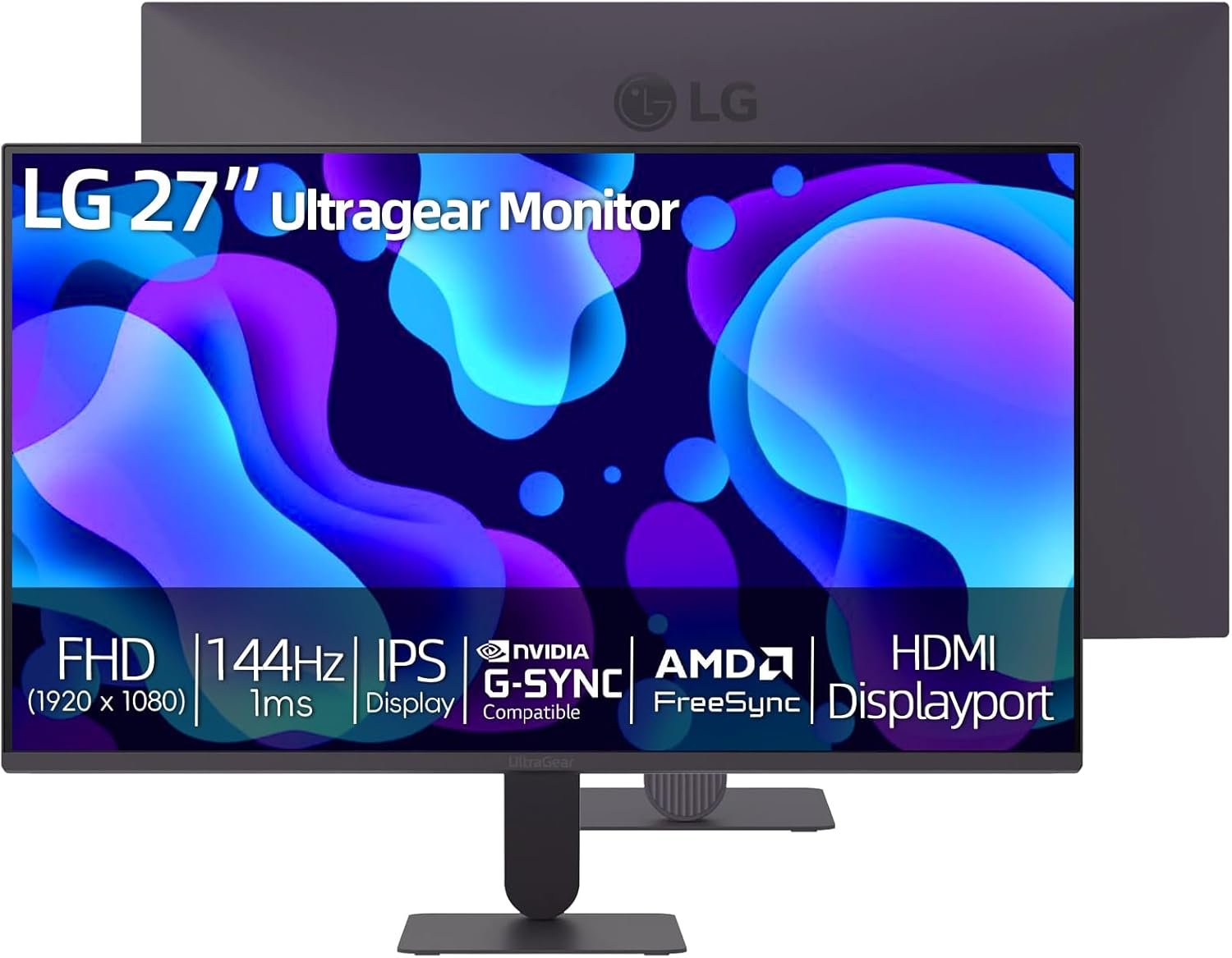
The LG 27-inch Ultragear Gaming Monitor is designed for gamers who want smooth performance without stepping into premium pricing territory. With a Full HD IPS display, a refresh rate that can be overclocked to 144Hz, and 1ms Motion Blur Reduction, it positions itself as a reliable choice for competitive gaming and everyday productivity.
Beyond gaming, this monitor also aims to serve content creators and professionals who need accurate colors and wide viewing angles. With HDR10 support, 99% sRGB coverage, and adaptive sync technologies like NVIDIA G-Sync Compatible and AMD FreeSync, LG blends speed with visual quality in a 27-inch form factor that fits comfortably on most desks.
The 27-inch screen offers a 1920 x 1080 Full HD resolution with IPS panel technology. IPS displays are known for their accurate color reproduction and wide 178-degree viewing angles, and this monitor delivers on both fronts. Whether you are gaming, watching movies, or editing photos, the visuals remain consistent even when viewed from the side.
The 16:9 aspect ratio ensures compatibility with modern games and streaming platforms. With a brightness of 250 nits and a 1500:1 contrast ratio, the display offers balanced brightness and decent depth in darker scenes.
This monitor comes with a 120Hz native refresh rate, which can be overclocked to 144Hz. The higher refresh rate makes motion appear smoother, especially in fast-paced games like FPS titles, racing games, or esports competitions.
Combined with 1ms Motion Blur Reduction (MBR), the monitor minimizes ghosting and blur during rapid movement. Fast turns, quick camera pans, and sudden action sequences feel sharp and controlled, which can make a real difference in competitive gameplay.
Dynamic Action Sync further reduces input lag, helping players react faster. Black Stabilizer enhances visibility in darker scenes, making it easier to spot opponents hiding in shadows.
Screen tearing and stuttering can ruin an otherwise smooth gaming session. The LG 27-inch Ultragear monitor supports NVIDIA G-Sync Compatible and AMD FreeSync technologies. These features synchronize the monitor’s refresh rate with your graphics card, reducing tearing and delivering a more fluid experience.
Whether you are using an NVIDIA or AMD GPU, you can expect smoother gameplay with fewer visual disruptions.
HDR10 support enhances contrast and brightness levels, making highlights brighter and shadows deeper. While it is not a high-end HDR panel, it does add noticeable depth to supported content.
The 99% sRGB color gamut coverage makes this monitor suitable for creative work as well. Designers, video editors, and content creators can rely on it for accurate and consistent colors. Landscapes look rich, skin tones appear natural, and color gradients are smoother compared to standard panels.
The monitor features an ultra-slim bezel design, which gives it a clean and modern appearance. The minimal stand saves desk space and works well in multi-monitor setups.
The stand is tilt-adjustable, allowing you to find a comfortable viewing angle. It is also VESA compatible (100 x 100 mm), so you can mount it on a wall or an adjustable arm for a more customized setup.
Reader Mode and Flicker Safe technology help reduce eye strain during long work or gaming sessions. LG’s Switch app allows you to split the screen into up to six sections, making multitasking easier when working with multiple applications.
The monitor includes HDMI and DisplayPort inputs, ensuring compatibility with gaming PCs, consoles, and laptops. The inclusion of DisplayPort is especially useful for achieving the full 144Hz refresh rate.
The LG 27-inch Ultragear Gaming Monitor is priced at $178.00 in the United States. It is currently available as a limited-time offer on Amazon, making it an attractive option for gamers looking for high refresh rate performance under $200.
Get Offer - Buy on Amazon
In real-world use, the LG 27-inch Ultragear monitor strikes a strong balance between performance and affordability. The IPS panel is one of its biggest strengths. Colors are vibrant without looking oversaturated, and the wide viewing angles make it suitable for shared viewing or dual-monitor setups.
For gaming, the 144Hz overclocked refresh rate and 1ms MBR noticeably improve motion clarity. Competitive titles feel smoother compared to standard 60Hz displays. While professional esports players might prefer higher resolutions or 240Hz panels, this monitor delivers more than enough speed for most gamers.
HDR10 adds a layer of depth to supported content, though it is not as dramatic as premium HDR displays with higher brightness levels. Still, for the price range, the visual experience is impressive.
In productivity tasks, the 27-inch size offers comfortable workspace real estate. Text appears sharp at normal viewing distances, and the screen-splitting feature enhances workflow efficiency. However, some users may feel that Full HD resolution on a 27-inch panel is slightly less crisp compared to a 1440p alternative.
Overall, the monitor performs reliably in both gaming and professional environments, making it a versatile addition to any setup.
If you are a gamer looking for smooth 144Hz performance without spending a fortune, this monitor makes a lot of sense. It delivers strong motion clarity, reliable adaptive sync support, and good color accuracy for everyday use.
It is especially ideal for students, entry-level gamers, and users upgrading from a 60Hz display. However, if you prioritize higher resolution like 1440p or need advanced ergonomic adjustments, you might want to explore higher-tier options.
The LG 27-inch Ultragear Gaming Monitor proves that you do not need to spend a premium to enjoy smooth, responsive gameplay. With its IPS display, 144Hz refresh rate, 1ms MBR, and adaptive sync support, it offers excellent value for its price.
While it may not compete with high-end QHD or 240Hz gaming monitors, it stands out as a dependable and budget-friendly choice for gamers and multitaskers alike. For under $200, it delivers performance and visual quality that comfortably exceed expectations.
Q1. Does the LG 27-inch Ultragear support 144Hz refresh rate?
Yes, it has a 120Hz native refresh rate that can be overclocked to 144Hz, offering smoother gameplay in fast-paced titles.
Q2. Is this monitor compatible with NVIDIA G-Sync and AMD FreeSync?
Yes, it supports NVIDIA G-Sync Compatible and AMD FreeSync, helping reduce screen tearing and stuttering during gaming.
Q3. Is Full HD resolution good for a 27-inch screen?
Full HD works well for gaming and everyday use, though some users may prefer 1440p for sharper detail at this screen size.
Q4. Can this monitor be wall-mounted?
Yes, it is VESA compatible (100 x 100 mm), so you can mount it on a wall or monitor arm.
Q5. Is the LG 27-inch Ultragear good for content creation?
With 99% sRGB coverage and an IPS panel, it offers solid color accuracy for photo editing, video work, and creative projects.
To know more about our platform, visit our About Us page.


Comments