
The latest version of WhatsApp for both Android and iOS introduces the option to hide your IP address. This new feature enables you to keep your IP address hidden from the other party during WhatsApp calls, safeguarding your actual location. Additionally, WhatsApp is introducing an additional privacy feature that empowers users to mute unknown callers, thereby enhancing protection against advanced cyber threats to users' data.
Step 1 - Launch WhatsApp from your mobile phone.

Step 2 - Tap on 3 dot from top right and select Settings option.

Step 3 - Tap on Privacy option.

Step 4 - Now Tap on Advanced option.

Step 5 - Enable Protect IP Address in Calls.
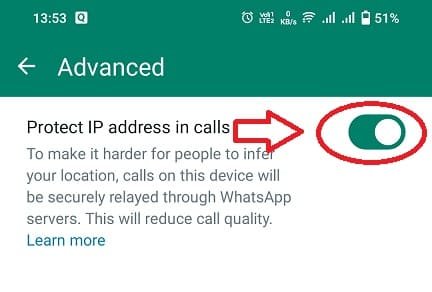
Please bear in mind that routing your call through WhatsApp's servers may result in a decrease in call quality.


Comments