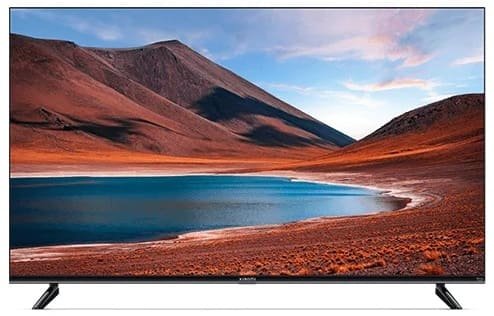
Why does Xiaomi TV restart frequently? Step by Step Guide

Resolve frequent restarts on Xiaomi TV with our comprehensive guide. Analyze patterns, check updates, and troubleshoot for a seamless viewing experience.

Information
12. Feb 2024
563 views
Why does Xiaomi TV restart frequently? Step by Step Guide


If your Xiaomi TV is seemingly caught in a restart loop, fret not – this guide will help you navigate the intricacies of this issue and find effective solutions.

1. Assessing the Frequency and Timing

Take note of when the restarts occur, how often they happen, and the duration of each incident. Understanding the patterns can offer insights into potential triggers.

2. Software Updates and Issues

Investigate if there have been recent software updates. Frequent restarts may be linked to a recent update. Determine if the issue emerged post-update.

3. Identifying Usage Scenarios

Analyze the scenarios in which restarts happen. Note the operations you were performing at the time. This information helps pinpoint specific activities triggering the restart.

4. Check Normal Functionality Post-Restart

Verify if the TV operates normally after each restart or if the problem persists. Consistent restarts may indicate an underlying issue that needs attention.

5. Software Update Possibility

Ensure your TV's software is up to date. Regularly updating software can resolve bugs and improve system stability.

6. Third-Party Applications

Examine if a large number of third-party applications are installed. Capture images for reference. Some applications might be incompatible, causing the frequent restarts.

7. Consider Factory Settings

Assess if the TV can be cleared or restored to factory settings. Be sure to take a U disk log before this operation to retain crucial data.

8. Upload Logs for Effective Feedback

If on-site logs aren't conclusive, independently upload logs for more accurate analysis. Providing valid logs ensures timely feedback and targeted solutions from support.

By delving into these considerations, you can gain a comprehensive understanding of the frequent restart issue on your Xiaomi TV. Armed with this information, you'll be better equipped to troubleshoot and resolve the underlying causes, ensuring a smoother and uninterrupted viewing experience.

Note - We can not guarantee that the information on this page is 100% correct. Some content may have been generated with the assistance of AI tools like ChatGPT.

Follow on LinkedIn

Comments

No comments has been added on this post

Add new comment

You must be logged in to add new comment. Log in
Rishabh Sinha
Check Information about technical products, Books, latest launched products and more.
Information, Tech News
Categories
Review
Check all Products Review.
Gaming Blog
Game Reviews, Information and More.
Learn
Learn Anything
Factory Reset
How to Hard or Factory Reset?
Osclass Solution
Find Best answer here for your Osclass website.
Information
Check full Information about Electronic Items. Latest Mobile launch Date. Latest Laptop Processor, Laptop Driver, Fridge, Top Brand Television.
Pets Blog
Check Details About All Pets like Dog, Cat, Fish, Rabbits and More. Pet Care Solution, Pet life Spam Information
Lately commented
This is a great resource for dog lovers looking for inspiring and humoro... ·
Top 50 Dog Quotes for Social Media: ...
This is a helpful resource for pet owners who are concerned about their ... ·
Why my dogs eat grass? When To Be Wo...
Thank you for creating this valuable resource on plant toxicity in dogs.... ·
What Plants Are Toxic to Dogs: A Com...
This article offers valuable insights into potential causes and treatmen... ·
What to Do if Your Dog Is Rubbing It...
Thank you for creating this comprehensive guide. It's very helpful! ·
50 Essential Digital Marketing FAQs ...
Great job! This is really well done. ·
Top 10 Data Analytics Courses Instit...
Thanks for the tips on choosing the best earbuds for workouts. ·
How to Choose the Best Wireless Earb...
Excellent post. I am facing a few of these issues as well.. ·
Non-Health Reasons Your Cat Has Stop...
